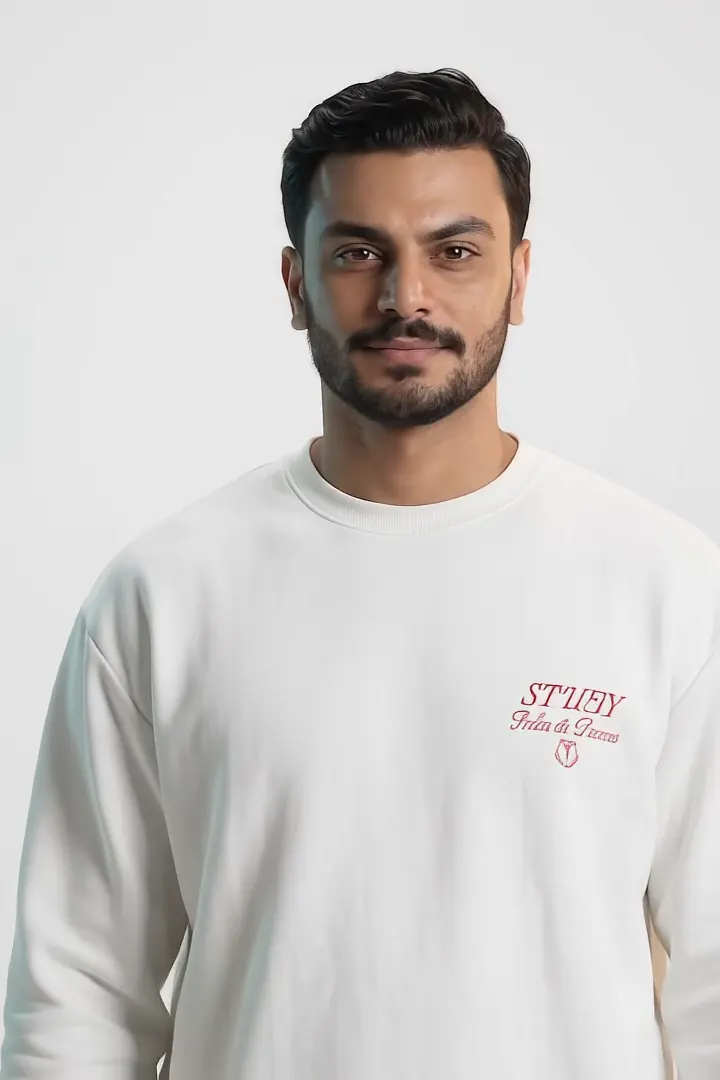





Zeyad Alaa in a white sweatshirt, facing the camera in a bright grey studio.

Zeyad Alaa

Coder & AI Engineer · Creative Technologist

Based in Cairo, Egypt

Physics taught me how systems behave.

Computer Science taught me how to build them.

AI taught me how to make them adapt.

Now I build the whole system.

AI products end to end: the model, the software around it, and the interface people trust.

THE SCALE OF THE WORK.

  • 11 AI Engines
  • 109+ Automated Workflows
  • 136+ Product Screens Designed & implemented
  • 13 LLM Providers
  • 5 AI Systems Selected work
  • Claude Code
  • Anti-Gravity
  • Codex
  • Cursor
  • Gemini
  • ChatGPT
  • Claude
  • Google AI Studio
  • Hermes Agent
  • MCP
  • LangChain
  • LangGraph
  • n8n
  • Hugging Face
  • VS Code
  • GitHub
  • Git
  • Docker
  • Postman
  • Jira
  • Linear
  • Notion
  • Figma
  • Kaggle
  • Google Colab
  • Python
  • TypeScript
  • JavaScript
  • SQL
  • React
  • Next.js
  • Vite
  • Tailwind CSS
  • Django
  • FastAPI
  • PyTorch
  • TensorFlow
  • MONAI
  • Transformers
  • Sentence Transformers
  • OpenCV
  • DeepSeek
  • Mistral
  • Qwen
  • PostgreSQL
  • Redis
  • ChromaDB
  • Supabase
  • Firebase
  • Cloudflare
  • Hostinger
  • GitHub Actions
  • Vercel
  • AWS

Why

AI should earn trust, not assume it. I build systems that make decisions traceable, keep humans in the loop, and remain reliable beyond the demo.

Zeyad at a dark desk behind floating glass screens of code and node graphs, lit in teal.

How I build

Ideas start as glass. They end as systems.

  • AI Systems

    Language models, retrieval and agents, grounded in real data and measured before anyone trusts them.

    • LLMs
    • RAG
    • Agents
    • Evaluation
    • Embeddings
    • Semantic search
  • Machine Learning

    Vision and language models that turn pages, screens and charts into structure a system can reason over.

    • Computer vision
    • OCR
    • Vision-language
    • LoRA fine-tuning
    • Segmentation
  • Software Engineering

    The APIs, data and interfaces that make a model into a product people use every day.

    • Python
    • TypeScript
    • FastAPI
    • Django
    • React
    • Next.js
    • PostgreSQL
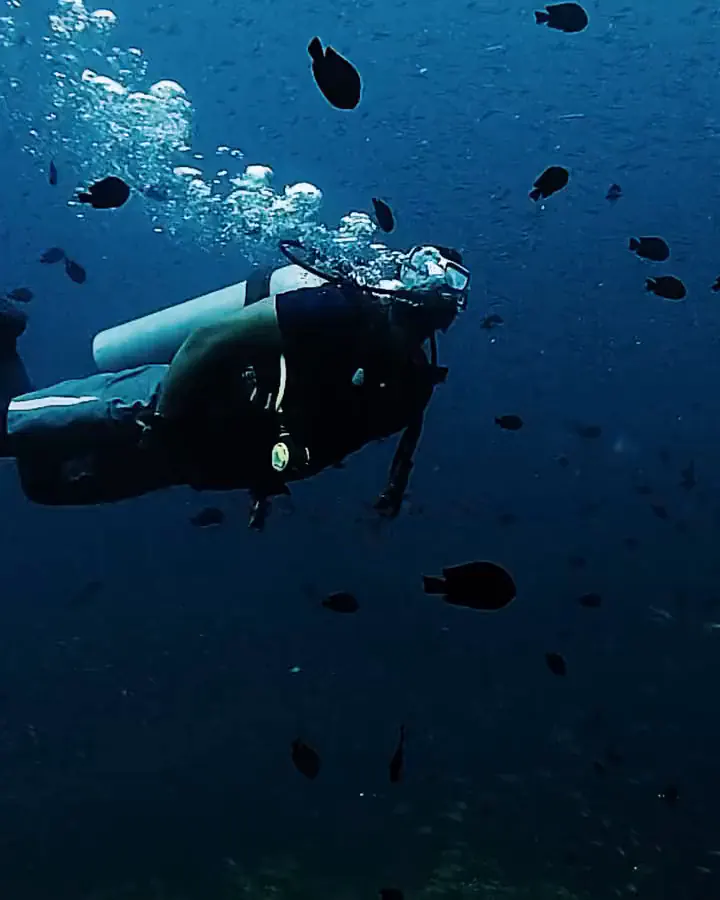
A montage of scuba diving underwater and skydiving above the clouds, cut together.
Sky & sea
Zeyad in swim gear beside an indoor pool after a training session.
Training
Zeyad on a boat off the Red Sea coast, mountains along the shoreline.
Out at sea
Zeyad training at the gym.
Strength
Zeyad on a paddleboard on turquoise water, mountains behind.
Paddle
Zeyad walking toward a desert sunset; the screen above him reads “No Internet.”
Offline

From first principles to open water.

  1. Physicshow the world behaves
  2. Mathematicsthe language to describe it
  3. Computationmaking the description run
  4. Simulationtesting worlds before building them
  5. Machine learningmodels that learn from data
  6. Intelligent systemsproducts built around them

I started in physics, where the job is explaining how the world behaves. Computer science gave me the other half: making those explanations run. I still work in that order: first principles first, then the whole system around them.

Most of my work sits between a model and the product around it: retrieval pipelines, evaluation harnesses, the APIs that carry them and the interfaces on top.

The discipline doesn’t stay at the desk. Laps in the pool and sets in the gym run on the same loop as my engineering: repeat it, measure it, trust only what holds up.

And when something ships, I go looking for a horizon: open sea, a paddleboard, a sunset with no signal. Sky or sea, it’s the same curiosity. I’m based in Cairo, Egypt.

  • Evidence over claims

    Every project here says what’s built and what’s still planned.

  • People at the decision points

    AI proposes. A person approves anything that matters.

  • Craft is part of the system

    The interface is where a system earns trust, so it gets engineering attention too.

  • Balance is part of the rigour

    Training, travel and time offline keep my judgement sharp for the work that matters.

Work with me

Three ways I can help.

For founders and teams who need AI that keeps working after the demo, as a freelancer, on contract, or in the right full-time team.

  • AI features that earn trust

    LLM, retrieval and agent features grounded in your own data, with evaluation and human sign-off designed in from day one.

    What you get

    • A working feature behind a documented API
    • An evaluation harness with raw outputs you can inspect
    • Approval gates wherever a decision matters
  • Documents and vision, made usable

    OCR, vision-language models and targeted fine-tunes that turn pages, screenshots and charts into data your product can use.

    What you get

    • An extraction pipeline tuned on your material
    • Fine-tuning where off-the-shelf models fall short
    • A demo your users can try
  • Prototype to product

    The typed frontend, the API and the data layer around the model, tested and fast enough to ship.

    What you get

    • A typed, accessible interface
    • A documented API with tests
    • A clear list of what’s built and what’s next

Selected work

Engineered systems, verified from model to interface.

Every case study documents what is running live in production, what is in active validation, and what is next.

  • Built
  • Prototype
  • Demo
  • Experiment
  • Concept
  • Planned
  • Adapter written
gattai.ai
Enterprise AI orchestration platform for the GCC: modular architecture with human-in-the-loop governance.

AI HR platform for the GCC

Gattai

  • Prototype all eight modules
  • Built backend API
  • Planned live model calls
Problem
Enterprise HR in the Gulf spans eight disciplines, two languages and regulated payroll. An AI that simply decides is a liability there.
Approach
Eight connected modules, from job design to payroll, on one rule: AI assists, people decide. Every AI output carries its provenance, opens in an explainability panel, and passes a human gate before it takes effect.
Result
A clickable prototype across all eight modules, a Django REST API with eight roles and an audit trail beneath it, and live model calls planned behind the gates.

Frontend prototype by Zeyad (42 commits). Django backend co-built with the team.

  • React 19
  • TypeScript
  • IBM Carbon
  • Zod
  • Django 5.1
  • DRF
  • PostgreSQL 16
  • Redis 7
Real-time 3D dental CBCT segmentation and multi-planar reconstruction in the browser.

Dental CBCT reporting, in the browser

DentoMind

  • Demo workflow, viewer, signed PDFs
  • Concept 3D segmentation
Problem
Cone-beam CT volumes are large, and a report is only useful if it traces back to the images it describes.
Approach
DICOM validated and anonymised at upload; volumes load in a worker and render with multi-planar and curved planar reconstruction; findings are charted per tooth and signed into immutable, versioned PDFs.
Result
The full loop runs end to end, from DICOM file to signed PDF. Inference is a deterministic demo engine and says so. Not a medical device.

Solo project.

  • Cornerstone3D
  • dcmjs
  • Next.js
  • TypeScript
  • Drizzle
  • PostgreSQL
  • Playwright
PageUI — screenshot to component tree Illustrative sample content. Real pipeline: a screenshot is classified mobile or web by a weighted-voting detector; a Qwen2.5-VL-3B-Instruct base hot-swaps the matching LoRA adapter; a self-healing parser keeps the JSON valid; boxes are normalised to the screen; a component tree is assembled. 01 · SCREENSHOT 02 · WEIGHTED VOTE 03 · ADAPTER HOT-SWAP 04 · SELF-HEALING PARSER 05 · NORMALISED BOXES 06 · COMPONENT TREE MOBILE THRESHOLD MOBILE WEB weighted vote → mobile Qwen2.5-VL-3B-Instruct base LoRA · Mobile LoRA · Web peft transformers component.json { "platform": "mobile", "root": { "type": "Screen", "children": [ { "type": "NavBar" }, { "type": "Hero" } ] } } { "platform": "web", "root": { "type": "Page", "children": [ { "type": "Header" }, { "type": "Sidebar" } ] } } invalid self-healing parser valid JSON NavBar Hero Search Card Card x / W → 0…1 y / H → 0…1 Screen NavBar Hero CardList Card Card Page Header Sidebar Content Section Section
  1. A UI screenshot is captured.
  2. A weighted-voting detector classifies it as mobile or web.
  3. A Qwen2.5-VL-3B-Instruct base hot-swaps in the matching LoRA adapter.
  4. The model extracts a structured description as JSON.
  5. A self-healing parser repairs the JSON if it is malformed.
  6. Bounding boxes are normalised to the screen, 0 to 1.
  7. A component tree is assembled from the structure.
Vision-language UI analysis: a weighted-voting platform detector hot-swaps a mobile or web LoRA adapter, then normalises boxes into a structured component tree.

Vision-language UI analysis

PageUI

  • Built mobile and web adapters
  • Demo live on Hugging Face
Problem
A screenshot is only pixels. Reusing, testing or rebuilding an interface needs its components, where they sit and how they nest.
Approach
A weighted-voting detector decides mobile or web; one Qwen2.5-VL-3B-Instruct base hot-swaps the matching LoRA adapter; a self-healing parser keeps the JSON valid; boxes are normalised to the screen.
Result
A structured component tree from one screenshot, served with FastAPI in Docker and running as a live demo.

Team project.

  • Qwen2.5-VL-3B
  • LoRA (peft)
  • transformers
  • FastAPI
  • Docker
EduScan — document analysis to grounded tutor Illustrative sample content. Real pipeline: photographed course pages are auto-cropped with OpenCV; docTR extracts OCR lines and segmentations; NLTK processes sentences into summaries; chunks are embedded into 384-d vectors with all-MiniLM-L6-v2 and indexed in persistent ChromaDB; a grounded tutor powered by Qwen2.5-7B-Instruct answers questions with citations directly from your pages; flashcards and study plans are generated. 01 · DOCUMENT CAPTURE · OPENCV + DOCTR sim(u, v) = u·v / (||u|| ||v||) PIPELINE STAGE 1 OpenCV Crop docTR OCR 8 lines detected · 3 semantic blocks Vision latency: 180ms PyTorch 02 · UNDERSTANDING NLP · NLTK + SUMMARIES SENTENCE TOKENIZATION (NLTK) sent_0: 42tok sent_1: 58tok sent_2: 36tok Stopwords removed · Stemmed punct stripped · POS tags aligned SUMMARY ratio: 38% Core concepts extracted Vector distance & cosine similarity Formulations preserved Normalized inner products Chunk boundaries intact Ready for dense vector index SEMANTIC CHUNKS FOR RETRIEVAL chunk_0: Introduction & context chunk_1: Metric equation & norm chunk_2: High-dim space properties 03 · RETRIEVAL EMBEDDINGS · CHROMADB SENTENCE TRANSFORMERS all-MiniLM-L6-v2 384-dim v0: [0.084, -0.211, 0.491, ...] v1: [0.172, 0.043, -0.320, ...] v2: [-0.055, 0.388, 0.119, ...] PERSISTENT CHROMADB INDEX collection: "course_material" chunk_2 vector chunk_1 vector chunk_0 vector Cosine Similarity Metric k=3 TOP-K RETRIEVAL RESULTS #1 Chunk 1 (equation) 0.94 sim #2 Chunk 0 (intro) 0.88 sim #3 Chunk 2 (space) 0.81 sim 04 · LEARNING GROUNDED TUTOR · RAG + TOOLS STUDENT INQUIRY "How does vector similarity work?" query embedded into 384-d space Qwen2.5-7B-Instruct · HF router (v2) v1 · Mistral-7B · LM Studio (local) Cosine similarity computes the angle between 384-d vectors, normalizing magnitude so only conceptual direction matters. Grounded in your notes Page 1 · Block 2: Equation (3.1) Hallucination check: passed TEXT-TO-SPEECH (TTS) Audio synthesis ready FLASHCARDS & MCQ EXPERIMENT Active recall & multi-choice tests generated on demand from notes Study Plan & Export (PDF/MD)
  1. A course material page is uploaded or photographed.
  2. OpenCV automatically detects page corners and crops borders.
  3. docTR extracts text lines via OCR and segments the page into structured blocks.
  4. NLTK tokenizes sentences and generates compressed study summaries.
  5. Sentence Transformers embeds chunks into 384-dimensional vectors.
  6. Embeddings are stored in a persistent ChromaDB vector index.
  7. A student query triggers cosine similarity retrieval to retrieve top-k chunks.
  8. A grounded tutor powered by Qwen2.5-7B-Instruct generates verifiable answers cited directly from your notes.
  9. Flashcards, quiz questions, and study recommendations are generated.
Document analysis to grounded study tutor: OpenCV auto-crop, docTR OCR, 384-d vector retrieval in ChromaDB, and grounded Qwen2.5-7B synthesis.

AI study companion

EduScan

  • Built two pipeline generations
  • Experiment flashcards and quizzes
Problem
Study material arrives as photos, scans and slides. A general chatbot answers from general knowledge, which is the wrong source when a course has its own definitions.
Approach
A five-stage pipeline: OCR on photographed pages, summaries, a persistent retrieval index, a tutor that answers from those pages, then export.
Result
Two working generations on real lecture material. The approach grew into MindEdge, a team graduation project.

Built with Mahmoud Gomaa.

  • docTR
  • OpenCV
  • Sentence Transformers
  • ChromaDB
  • Qwen2.5-7B
  • FastAPI
Zeyad Alaa at the end of a dark corridor lined with glowing screens, looking at the camera.

Contact

Let’s build something intelligent.

Got a product, a system or an idea worth testing? Tell me about it. Email is best for details, WhatsApp for a quick hello.

Cairo, Egypt · Available for selected projects